
When you think about what is a watermark (and why it matters for social video), envision a subtle signature on a piece of art. Essentially, a watermark is a logo, text, or pattern that’s superimposed onto a video, ensuring that the content creator is credited. This simple addition can make a world of difference in protecting your work and promoting your brand.
Watermarking your social videos offers several benefits. Firstly, it helps deter content theft. When your watermark is prominently displayed, it becomes harder for others to claim your work as their own. Secondly, it boosts brand recognition. Every time your video is shared or re-uploaded, your watermark acts as a constant reminder of your brand. Lastly, it can provide valuable marketing. Viewers who see your watermark can easily find more of your content, turning them into potential followers or customers.
Adding a watermark to your videos is a straightforward process. Here’s a quick step-by-step guide to get you started:
- Choose your watermark: Decide on a logo, text, or image that represents your brand.
- Select a video editing tool: Programs like Adobe Premiere Pro, Final Cut Pro, or even free tools like iMovie can be used.
- Import your video: Open your chosen video editing software and import the video you wish to watermark.
- Add your watermark: Insert the logo or text you’ve chosen into the video. Place it in a corner where it’s visible but not intrusive.
- Adjust the opacity: Ensure the watermark is transparent enough to not distract from the video content.
- Save and export: Once you’re satisfied with the placement and appearance, save and export your video with the watermark.
Introduction to Watermarks
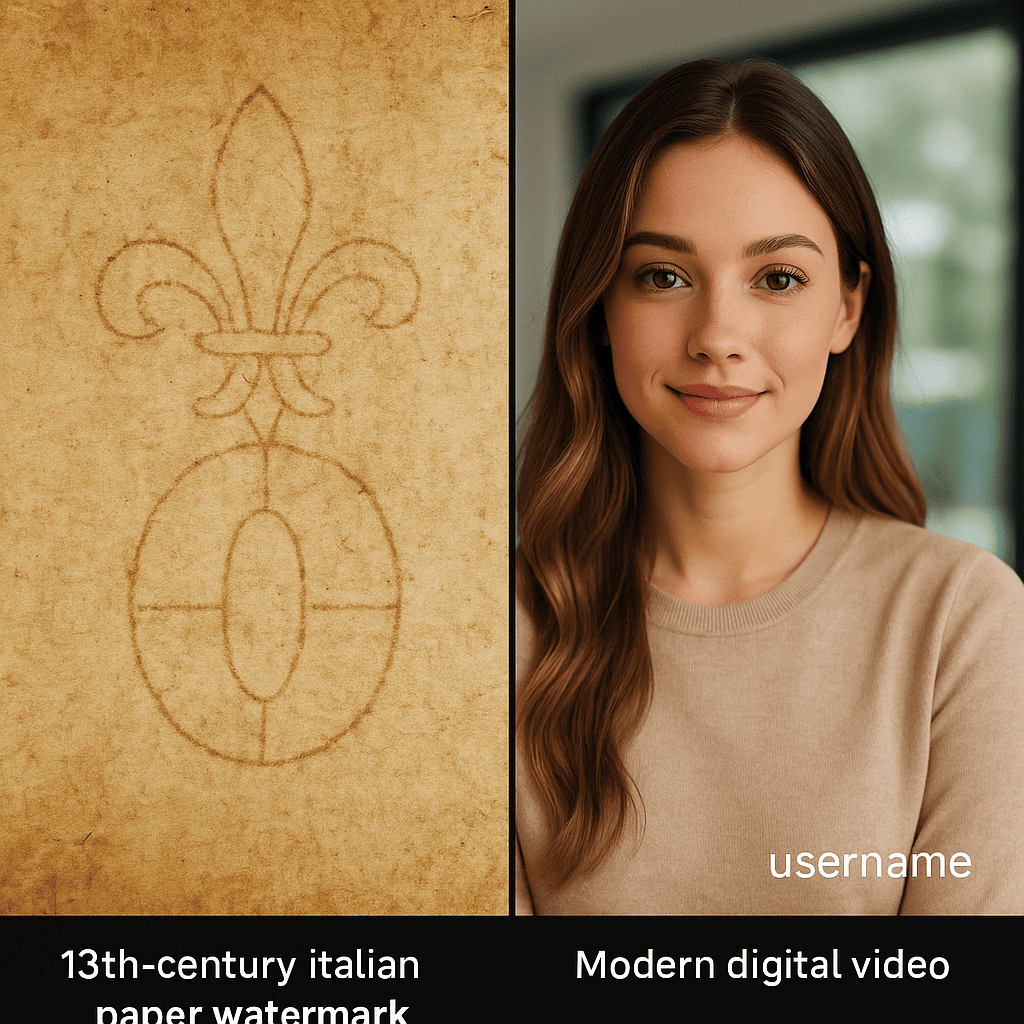
Have you ever asked yourself, what is a watermark? Simply put, a watermark is a recognizable image or pattern used to identify the authenticity of a document, image, or video. Traditionally, watermarks were used in paper manufacturing to signify authenticity and prevent counterfeiting. As technology evolved, so did the concept of watermarks.
Today, digital watermarks have become essential in the online world, especially in the realm of digital media. They serve as a safeguard against unauthorized use and distribution of content. Digital watermarks can be embedded into images, documents, and even videos, making them a versatile tool for content creators and brands alike.
For instance, a video watermark is often used by creators on platforms like YouTube to protect their intellectual property. This not only ensures that their content is not misused but also helps in building brand recognition. The evolution from traditional to digital watermarks highlights the ongoing need for content protection in an increasingly digital world.
Watermarks have a rich history, dating back to the 13th century when they were first used by Italian paper makers. Over time, their application has expanded, but the core purpose remains the same: to ensure authenticity and protect intellectual property.
Interested in diving deeper into the evolution of watermarks? Check out this comprehensive history of watermarks.
Understanding the concept of watermarks is crucial for anyone working with digital media. Whether you’re a content creator, marketer, or just curious about the topic, knowing how to use watermarks effectively can make a significant difference. For more insights on social media acronyms and slang, explore our detailed guide.
Importance of Watermarks for Social Videos
Understanding the importance of watermarking is crucial for anyone sharing content on social media. Watermarks serve multiple essential functions that go beyond just adding a logo to your videos.
Firstly, protecting video content from unauthorized use is a primary benefit. In a digital era where content theft is rampant, a well-placed watermark ensures that your original work is easily identifiable, discouraging others from claiming it as their own. Imagine spending hours creating a unique video only to see it republished without any credit—frustrating, isn’t it?
Additionally, watermarks play a pivotal role in enhancing brand recognition and awareness. Every time your video is shared, your watermark acts as a subtle yet powerful reminder of your brand. It’s like a digital business card that travels with your content, reinforcing your brand identity with each view. This increased visibility can significantly bolster your brand’s presence on social media platforms.
Finally, watermarks are effective in preventing content theft and misuse. By marking your videos, you create a deterrent for those intending to repurpose your content without permission. This not only safeguards your intellectual property but also maintains the integrity of your brand.
| Benefit | Description |
|---|---|
| Content Protection | Prevents unauthorized use and theft of video content. |
| Brand Recognition | Enhances visibility and awareness of your brand. |
| Content Integrity | Ensures your content is not misused or misrepresented. |
For further insights into the prevalence of content theft, you can explore this comprehensive article on the most common types of stolen content and preventive measures. Moreover, understanding these social media statistics can help you gauge the potential reach and impact of your watermarked videos.
Types of Watermarks and Their Uses
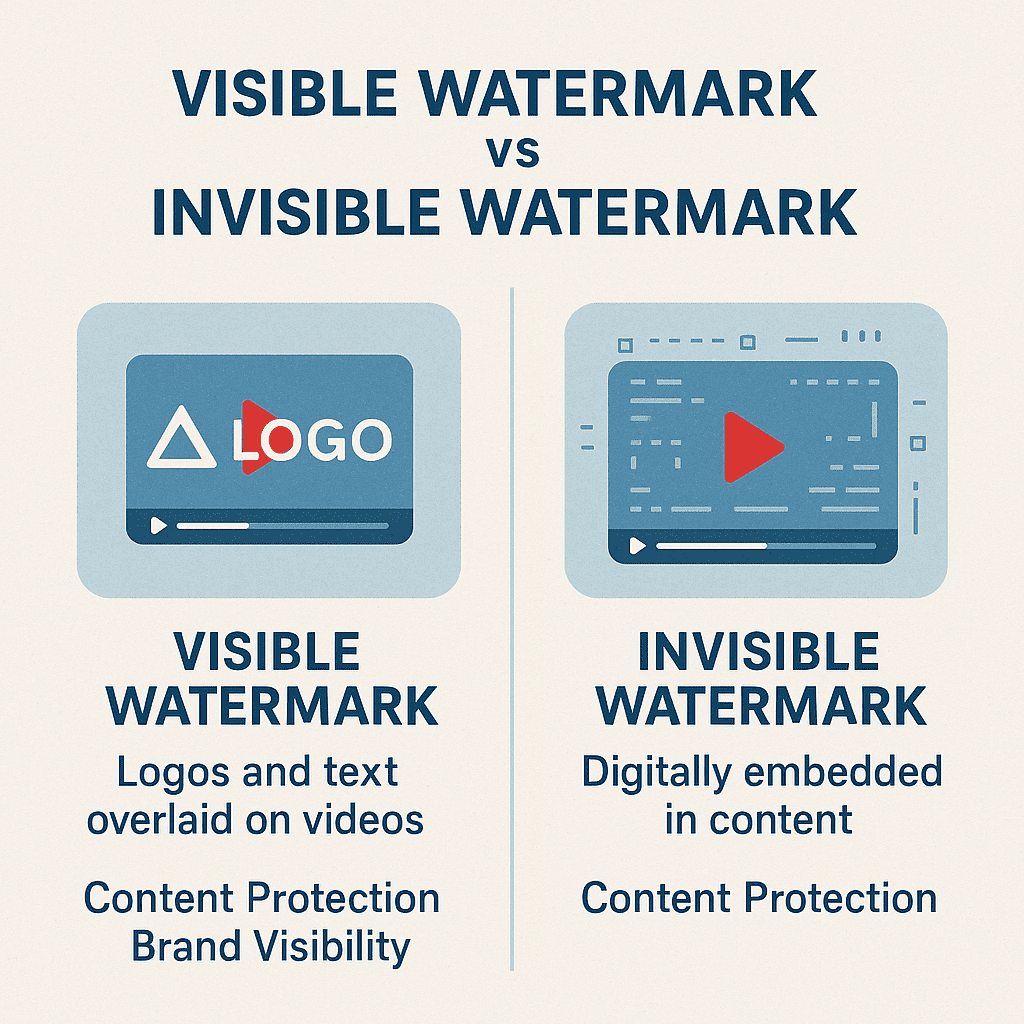
When it comes to protecting your social videos, understanding the different types of watermarks can help you choose the best option for your needs. There are two main categories: visible and invisible watermarks, each with distinct characteristics and applications.
Visible Watermarks are the most common type and are easily seen on the content. They often consist of logos, text, or images that are clearly placed over the video. This type of watermark serves as a direct deterrent against unauthorized use, making it immediately clear who the content belongs to. For instance, if you frequently share your videos on social media, a visible watermark can help maintain brand recognition and ensure viewers know the source of the content.
On the other hand, invisible watermarks are embedded within the video file itself and are not noticeable to the naked eye. These are typically used for tracking and identifying content ownership without affecting the viewing experience. Invisible watermarks are particularly useful in scenarios where the aesthetic integrity of the video is paramount, such as in professional film production or high-quality promotional materials.
Additionally, watermarks can be classified as static or dynamic. Static watermarks remain constant throughout the video, making them ideal for consistent brand messaging. Dynamic watermarks, however, can change over time or move within the video, providing an additional layer of security by making it more difficult for potential pirates to remove them effectively.
In summary, the best type of watermark for your social videos depends on your specific needs. If immediate brand recognition and deterrence are your priorities, visible watermarks are the way to go. If you need to protect content without impacting its visual appeal, invisible watermarks are more suitable. Understanding these distinctions will help you make an informed decision to safeguard your valuable content.
Step-by-Step Guide to Adding Watermarks on Various Platforms

Ready to learn how to add a watermark to a video on your favorite social media platforms? This step-by-step guide to watermarking videos will walk you through the process for YouTube, Instagram, and Facebook. Whether you’re a beginner or have some experience, we’ve got you covered!
How to Add a Watermark on YouTube
Watermarking on YouTube is a straightforward process that helps ensure your brand is always visible. Follow these steps:
- Sign in to your YouTube account and go to YouTube Studio.
- In the left menu, select Customization and then Branding.
- Under the Video Watermark section, click Upload.
- Select an image (preferably a transparent PNG file) and adjust the display time settings.
- Click Publish to save your changes. Your watermark will now appear on all your videos.
Adding a watermark this way ensures your brand is consistently showcased across all your content.
How to Add a Watermark on Instagram
While Instagram doesn’t offer a built-in watermark feature, you can easily add one using third-party apps. Here’s how:
- Download a watermarking app like Watermark X or Add Watermark on Photos from your app store.
- Open the app and upload your video.
- Select your watermark (logo or text) and position it as desired.
- Adjust the opacity and size to ensure it doesn’t distract from the content.
- Save the watermarked video and upload it to Instagram as usual.
Using these apps provides flexibility and allows you to customize your watermark for each video.
How to Add a Watermark on Facebook
Facebook allows you to add watermarks directly through their Creator Studio. Follow these steps:
- Log in to Facebook Creator Studio and select your page.
- Navigate to the Content Library and click on Videos.
- Select the video you want to watermark and click Edit Post.
- Under the Video Options, click Add Watermark.
- Upload your watermark image and position it appropriately.
- Save your changes and publish the video.
This method ensures your videos maintain a professional look and feel, enhancing your brand’s visibility.
For more insights on leveraging social media, check out our article on UGC creators.
Best Practices for Effective Watermarking
When it comes to best practices for watermarking videos, the placement of your watermark plays a crucial role. An effective watermark is one that protects your content without disrupting the viewing experience. Let’s explore how to achieve this balance.
First and foremost, consider the video watermark placement. Positioning your watermark in the bottom right corner is often a safe bet, as it is less likely to interfere with the primary focus of your content. However, every video is unique, and sometimes placing the watermark in the top corners or even centrally but subtly can be more effective.
It’s also essential to ensure that your watermark does not distract viewers. A good rule of thumb is to keep it small and semi-transparent. This way, it serves its purpose without drawing attention away from the content. Think of it as a subtle signature rather than a glaring stamp.
Balancing visibility and subtlety is another key aspect of effective watermarking. Your watermark should be visible enough to deter unauthorized use but not so prominent that it detracts from the viewer’s experience. Experiment with opacity levels and sizes until you find the sweet spot.
For more insights on digital content protection, check out our guide on important social media acronyms.
Impact of Watermarks on Video Performance
Understanding the impact of watermarks on video engagement is critical for content creators. Watermarks can significantly affect how viewers perceive your videos. While they help in branding and protecting content, there’s a delicate balance to maintain.
First, let’s consider viewer perception. A watermark that is too large or obtrusive can distract viewers, leading to a negative experience. Imagine watching a breathtaking nature documentary only to have a massive logo in the corner—it detracts from the immersive experience.
Next, we need to discuss the effect on video sharing and reach. Videos with prominent watermarks may be less likely to be shared, especially on platforms where users prefer clean content. This can directly impact your video’s reach and overall performance. However, subtle watermarks can help maintain your brand’s visibility without compromising shareability.
Lastly, balancing branding with viewer experience is key. A well-placed, discreet watermark can reinforce your brand while ensuring viewers remain engaged. It’s about finding that sweet spot where your brand is visible but not intrusive.
To delve deeper into the studies on video engagement, explore this authoritative source.
Tools and Software for Watermarking Videos
When it comes to video watermarking tools, there are several options available that cater to different needs and budgets. Below, we provide an overview of some of the best software for adding watermarks, along with their pros, cons, pricing, and features. This comparative analysis will help you choose the right watermarking software for your projects.
| Tool | Features | Pros | Cons | Pricing |
|---|---|---|---|---|
| Watermark Master | Batch processing, customizable watermarks, various output formats | Easy to use, comprehensive features | Limited free version | $49.95 (one-time) |
| iWatermark Pro | Cross-platform, supports QR codes, cloud integration | Versatile, user-friendly interface | Higher learning curve for beginners | $30 (one-time) |
| Video Watermark Pro | Real-time preview, text/image watermarks, video effects | Real-time editing, affordable | Occasional performance lags | $24.95 (one-time) |
While Watermark Master offers a robust set of features at a one-time cost, it’s important to note that its free version is quite limited. On the other hand, iWatermark Pro is highly versatile and integrates well with cloud services, though it might take some time to master. For those seeking affordability without compromising on real-time editing capabilities, Video Watermark Pro stands out, despite some performance issues.
Ultimately, the video watermarking tools you choose will depend on your specific needs and budget. For more information on related software, you might find our guide for Windows helpful.
Case Studies and Real-World Examples
Exploring watermarking case studies provides valuable insights into how this strategy can elevate video branding. Let’s delve into two successful real-world examples and the lessons they offer.
Case Study 1: Successful Watermarking Strategy
Consider the journey of a rising fitness instructor, Jane Doe, who leveraged watermarking to build her brand. Jane consistently posted workout videos on social media platforms, but she noticed unauthorized usage of her content. By incorporating a subtle yet visible watermark featuring her logo on each video, she effectively curbed this misuse. Her watermark became synonymous with quality fitness content, attracting more followers and engagement.
“Watermarking my videos not only protected my content but also reinforced my brand identity. It was a game-changer for my online presence.” – Jane Doe
Case Study 2: Impact on Brand Recognition
Another compelling example is from a culinary blog, “Chef’s Palette.” The blog’s creator, Chef Alex, began watermarking his cooking tutorials. This simple step significantly boosted his brand recognition. Viewers could easily identify his videos across platforms, leading to a 30% increase in direct traffic to his blog. This watermarking strategy also enhanced his credibility, positioning him as a trusted name in the culinary world.
For more insights on leveraging user-generated content, explore our article on <a
Leave a Reply