In today’s fast-paced digital world, staying on top of the latest image size requirements for social media platforms is crucial. Our Always Up-to-Date Guide to Social Media Image Sizes ensures you have the most current information at your fingertips. Whether you’re optimizing images for Facebook, Instagram, Twitter, or LinkedIn, this guide covers all the bases.
First, let’s dive into the specifics. Each platform has unique dimensions for profile pictures, headers, and posts. For instance, Facebook recommends a profile picture size of 180×180 pixels, while Instagram prefers a 110×110 pixel image. Keeping track of these requirements can be challenging, but it’s vital for maintaining a professional and polished online presence.
To make resizing images effortless, consider using tools like ResizeMaster or ImageScalerPro. These resources simplify the process, ensuring your images meet platform specifications without compromising quality. Additionally, expert tips such as using high-resolution images and the correct file formats (JPG for photos, PNG for graphics) can significantly enhance your social media visuals.
Remember, image quality can make or break your social media engagement. By following this guide and utilizing the right tools and tips, you’ll ensure your content looks stunning and professional across all platforms.
Introduction to Social Media Image Sizes
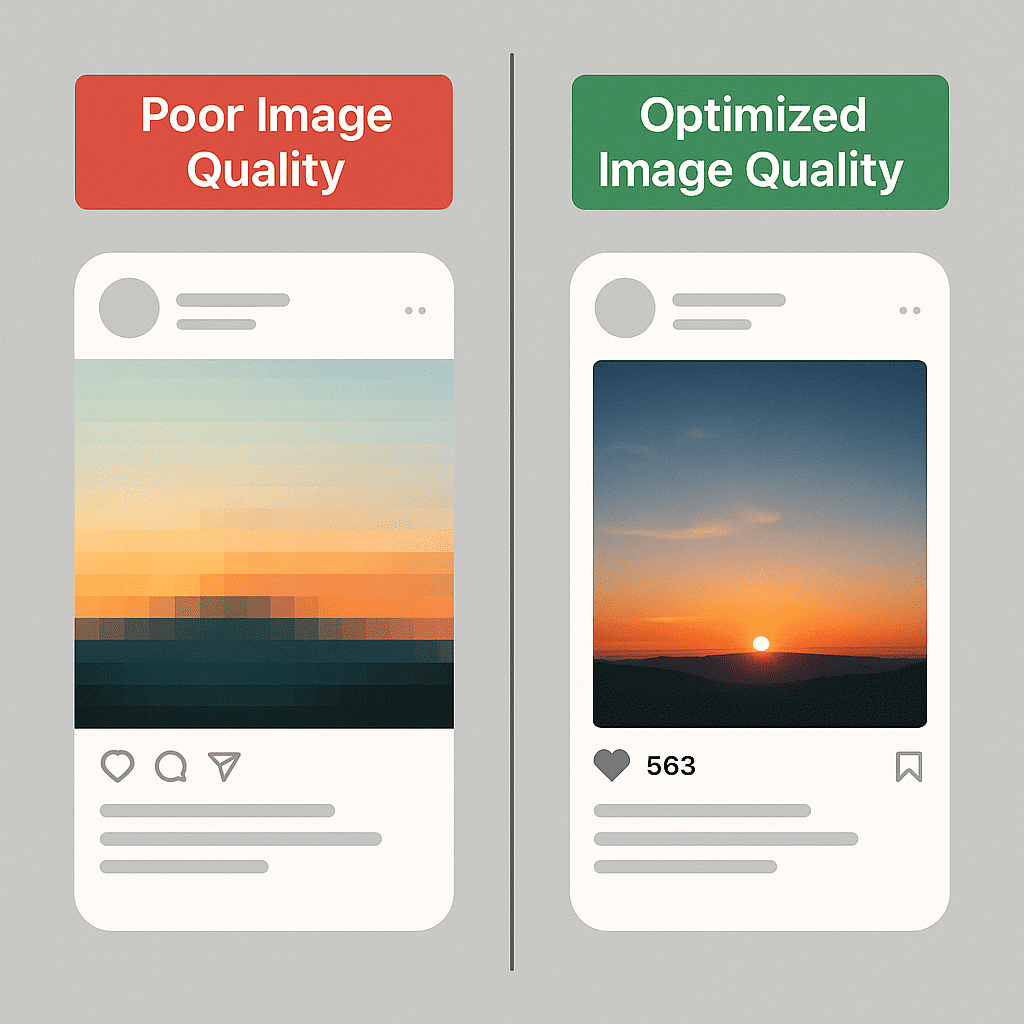
In the realm of social media, visuals play a pivotal role in capturing attention and driving engagement. The right social media image sizes ensure your content looks professional and appealing across various platforms. On the flip side, using incorrect image dimensions can lead to pixelated, cropped, or otherwise distorted visuals, which can negatively impact your brand’s perception.
Moreover, staying updated with the latest social media image sizes is crucial. Platforms frequently update their specifications, and what worked last year might not be optimal today. By using current image dimensions, you ensure that your visuals are displayed correctly, enhancing the overall user experience and maximizing engagement.
Understanding these aspects is essential. Let’s dive deeper into the specifics of each platform to ensure your images always make the best impression.
Why Image Sizes Matter
Understanding the importance of image sizes is crucial for mastering social media image optimization. The right image size can significantly impact user engagement, ensuring that your audience remains captivated by your content. For instance, an image that’s too large may load slowly, leading to user frustration and potential drops in engagement. Conversely, an image that’s too small might appear blurry or pixelated, diminishing the overall user experience.
Moreover, maintaining brand consistency and professionalism is paramount. When you use appropriately sized images, your brand’s visual identity remains sharp and cohesive across all platforms. A consistent look not only fosters brand recognition but also conveys a sense of professionalism and attention to detail. Think of it like dressing appropriately for a job interview—first impressions matter.
Each social media platform has its own set of image size requirements, which means a one-size-fits-all approach won’t work. For instance, Facebook and Instagram have different dimensions for optimal image display. Adhering to platform-specific requirements ensures that your images are displayed correctly, enhancing the viewer’s experience and your content’s effectiveness. Leveraging an image size guide can be incredibly helpful in navigating these varying requirements.
“Optimizing image sizes isn’t just about aesthetics; it’s about functionality and engagement.”
Image Size Requirements by Platform
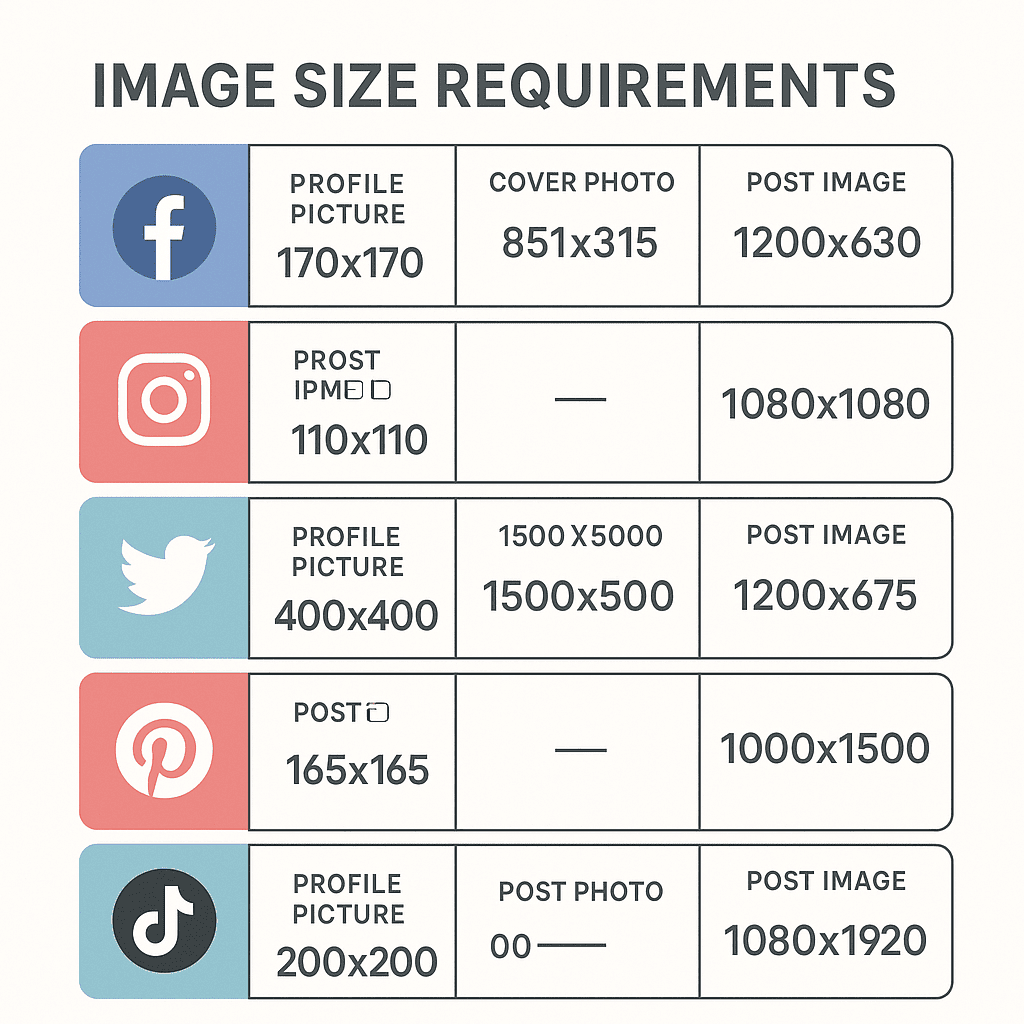
Understanding social media image sizes is essential for ensuring your content looks its best across various platforms. Each platform has its unique specifications, and adhering to these can make the difference between a polished, professional appearance and a distorted mess.
| Platform | Profile Picture | Cover Photo | Post Image |
|---|---|---|---|
| 180 x 180 px | 820 x 312 px | 1200 x 630 px | |
| 110 x 110 px | N/A | 1080 x 1080 px | |
| 400 x 400 px | 1500 x 500 px | 1024 x 512 px | |
| 300 x 300 px | 1584 x 396 px | 1200 x 627 px | |
| 165 x 165 px | N/A | 1000 x 1500 px | |
| TikTok | 200 x 200 px | N/A | 1080 x 1920 px |
When considering Facebook image sizes, remember that profile pictures should be at least 180 x 180 pixels to ensure clarity. The cover photo is substantially larger, requiring 820 x 312 pixels. For post images, aim for 1200 x 630 pixels to maintain high quality.
On Instagram, profile pictures are smaller at 110 x 110 pixels. The platform’s square post images should be 1080 x 1080 pixels.
For Twitter image sizes, profile pictures need to be 400 x 400 pixels, while the cover photo is best at 1500 x 500 pixels. Tweet images should be 1024 x 512 pixels for optimal display.
LinkedIn’s profile pictures should be 300 x 300 pixels, with a cover photo size of 1584 x 396 pixels. Post images are ideally 1200 x 627 pixels.
Pinterest requires profile pictures to be 165 x 165 pixels, and vertical pins look best at 1000 x 1500 pixels.
Lastly, TikTok’s profile pictures should be 200 x 200 pixels, and video thumbnails are 1080 x 1920 pixels.
Adhering to these platform-specific requirements ensures your visuals are sharp and professional across all social media channels.
Tools and Resources for Resizing Images
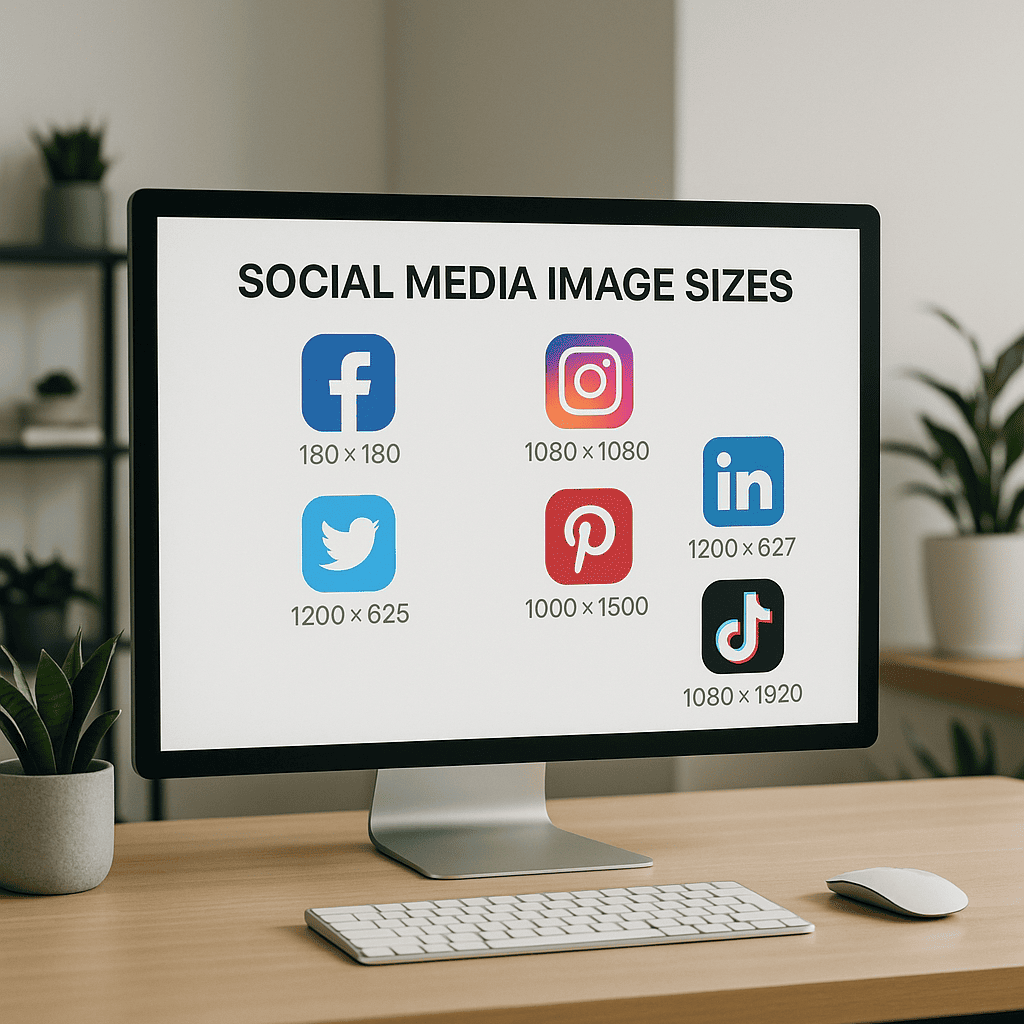
When it comes to effectively using image resizing tools, knowing the right resources can make all the difference. Let’s explore some popular tools that can help you understand how to resize images for social media and ensure they look perfect across all platforms.
- Adobe Photoshop
- Adobe Photoshop is a powerful tool for image editing that offers advanced resizing capabilities. It’s perfect for professionals who need precise control over image quality and dimensions. With its wide range of features, you can resize images without losing quality and adjust other parameters such as resolution and aspect ratio.
- GIMP
- GIMP, or GNU Image Manipulation Program, is a free and open-source alternative to Photoshop. It provides robust image editing features, including resizing. GIMP allows you to scale images to specific dimensions and offers various options to maintain image quality during the process.
- Canva
- For those looking for a more user-friendly option, Canva is an excellent choice. This web-based tool provides a simple interface for resizing images with just a few clicks. Canva is particularly useful for social media managers who need to resize images quickly and efficiently. Plus, it offers pre-set dimensions for various social media platforms, making the process even smoother.
- PicResize
- PicResize is a straightforward online tool that allows you to resize images for free. You can upload images directly from your computer, choose the desired dimensions, and download the resized images instantly. It’s perfect for quick, on-the-go image resizing tasks.
To use these tools effectively, always start by determining the specific dimensions required for your target platform. For instance, resizing an image for Facebook differs from resizing for Instagram. Utilizing the pre-set dimensions in tools like Canva can save time and ensure consistency across your social media posts.
For more insights on optimizing your visuals, explore our guide on image resizing tools.
Best Practices for Optimizing Image Quality
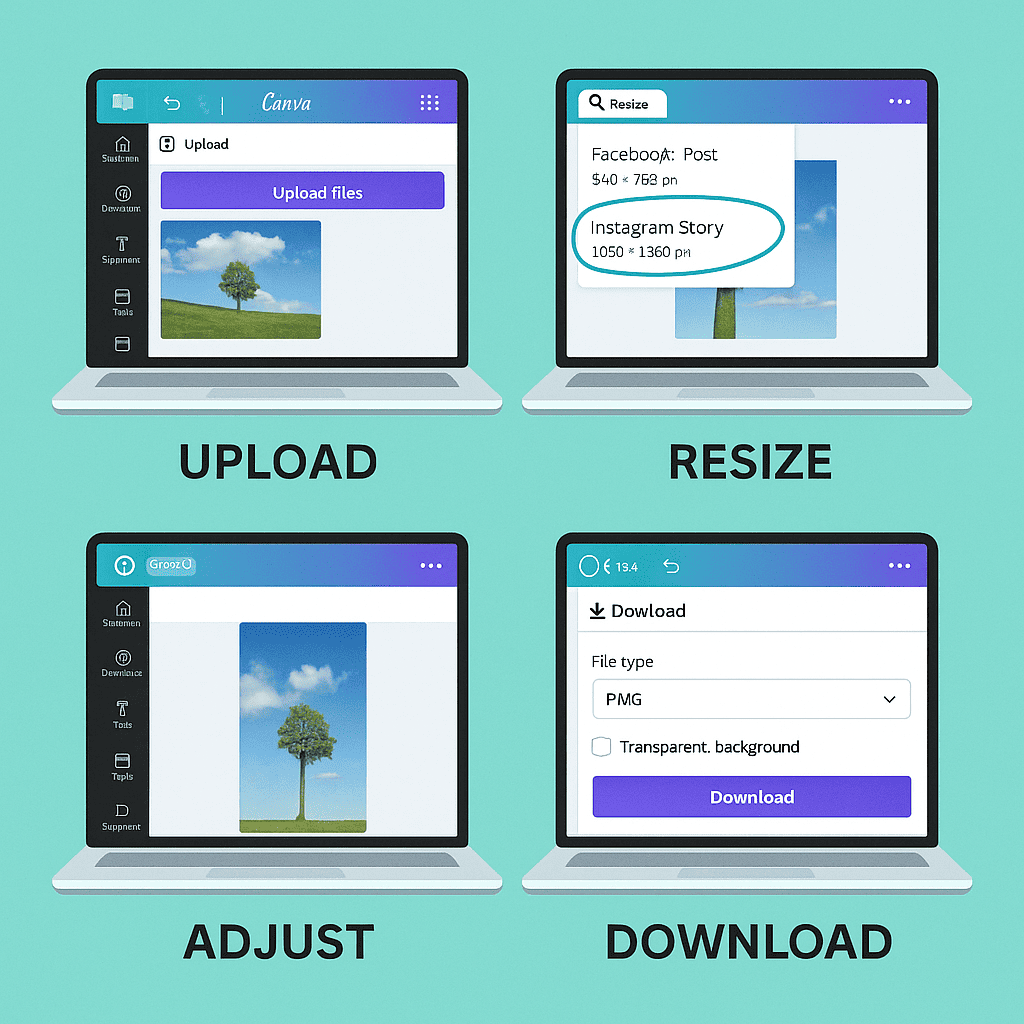
When it comes to social media image optimization, several factors can significantly enhance the visual appeal and effectiveness of your content. Let’s break down the best practices for social media images to ensure your visuals stand out.
Image Resolution and File Formats
Choosing the right image resolution and file format is the starting point for optimizing images. High resolution ensures clarity, but be mindful of file sizes. For most social media platforms, a resolution of 72 dpi (dots per inch) works well.
When it comes to file formats, JPEGs are ideal for photographs due to their balance between quality and file size. PNGs are perfect for images with transparent backgrounds, while GIFs are great for simple animations. Always aim to compress images without sacrificing quality to improve loading times.
Optimizing Images for Different Platforms
Each social media platform has its unique specifications for image dimensions. For instance, Facebook cover photos should be 820 x 312 pixels, while Instagram posts should be 1080 x 1080 pixels. Tailoring your images to these dimensions prevents distortion and ensures they display correctly across devices.
Using tools like Canva or Adobe Spark can simplify the process of creating platform-specific images. These tools offer templates that match the dimensions required by each social network, saving you time and ensuring consistency.
Common Mistakes to Avoid
Avoid common pitfalls that can detract from your social media image optimization efforts. Here are a few tips:
- Over-compression: Excessive compression can lead to pixelation and loss of detail. Use tools like TinyPNG to compress images effectively.
- Ignoring Alt Text: Alt text improves accessibility and SEO. Always include descriptive alt text for your images.
- Neglecting Mobile Optimization: Ensure your images look great on both desktop and mobile devices. Preview your posts on different devices to check for any issues.
Implementing these best practices for social media images will enhance your visual content, making it more engaging and effective. For further reading on image optimization best practices, check out authoritative sources like The Verge.
Emerging Social Media Platforms
Keeping up with emerging social media platforms can seem daunting, but it’s crucial for staying ahead of the curve in the digital world. Let’s explore some of the latest platforms making waves and their specific image size requirements.
| Platform | Image Size Requirements |
|---|---|
| Trendr | 1080 x 1080 pixels |
| Vibez | 1200 x 675 pixels |
| SnapMe | 1080 x 1920 pixels |
To stay updated with new social media platforms, follow industry blogs, subscribe to newsletters, and participate in online communities. By doing so, you’ll ensure you never miss out on the next big thing in social media.
Aspect Ratios Explained
Understanding image aspect ratios is crucial for anyone working with visual content, especially on social media. But what exactly are aspect ratios? Simply put, an aspect ratio is the proportional relationship between the width and height of an image or video. It is typically expressed as two numbers separated by a colon, such as 16:9 or 4:3.
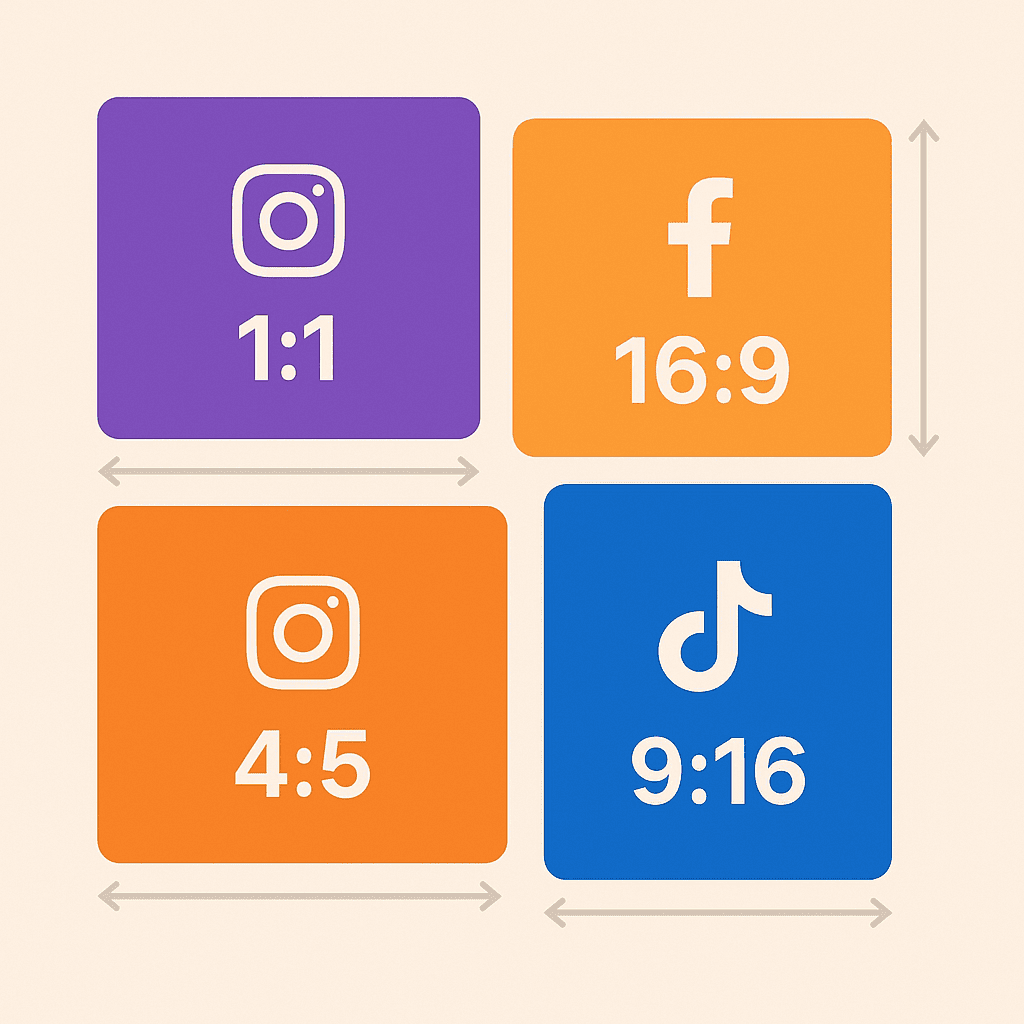
Different platforms favor different social media aspect ratios. For instance, Instagram posts generally look best with a 1:1 aspect ratio, while Facebook covers shine at 16:9. Here are some common aspect ratios you should be aware of:
- 1:1 – Square, popular on Instagram and Facebook posts.
- 16:9 – Widescreen, ideal for YouTube and Facebook cover photos.
- 4:5 – Portrait, often used on Instagram stories.
- 9:16 – Vertical, suitable for TikTok and Instagram Reels.
The impact of aspect ratios on image quality cannot be overstated. Using the incorrect aspect ratio can result in unwanted cropping, stretching, or pixelation, which detracts from the professional appearance of your content. For example, uploading a 16:9 image to a platform that displays it as 1:1 will either crop the image or add black bars, reducing its overall quality and visual appeal.
In conclusion, selecting the right aspect ratio ensures your images and videos are displayed perfectly, maintaining their intended quality and impact. For a more detailed guide on aspect ratios, you can refer to authoritative resources.
Frequently Asked Questions about Social Media Image Sizes
How often do social media image sizes change?
Social media image sizes change frequently, and the frequency varies by platform. For instance, platforms like Instagram and Facebook update their image dimensions more often to enhance user experience and adapt to new trends. As a user, staying updated on these changes is crucial to ensure your content remains visually appealing and fits correctly across all platforms. Regularly checking for updates or using tools that keep track of these dimensions can save you from potential headaches.
What tools can I use to resize images for social media?
There are several popular tools available that can help you resize images for various social media platforms. Each of these tools comes with unique features and benefits, making the resizing process both efficient and user-friendly.
- Canva
- Canva is a versatile design tool that offers pre-set dimensions for different social media platforms. Its drag-and-drop interface makes it easy to resize images quickly and professionally.
- Adobe Spark
- Adobe Spark provides a wide array of templates tailored for social media. With its intuitive controls, you can resize your images while maintaining high quality.
- PicResize
- PicResize is a straightforward, web-based tool that allows you to resize images without any hassle. Simply upload your image, choose the desired dimensions, and download your resized image.
Using these tools, you can ensure that your images look perfect on any social media platform, enhancing your online presence and engagement.
What are the best practices for maintaining image quality?
To ensure your images look their best across various platforms, it’s essential to focus on resolution and file formats. High-resolution images retain detail and clarity, making them ideal for platforms like Instagram and Pinterest. Stick to formats like JPEG for photographs and PNG for images with transparency.
Another key aspect is platform-specific optimization. For instance, Facebook compresses images, so upload at their recommended dimensions to minimize quality loss. Similarly, Twitter and LinkedIn have their own size guidelines to follow.
How do aspect ratios affect my social media images?
Aspect ratios, which represent the width and height relationship of an image, significantly impact the quality and display of your social media images. A correct aspect ratio ensures that your images are fully displayed without any cropping or distortion, enhancing visual appeal and engagement on platforms like Instagram and Facebook.
What should I do if my images look blurry or pixelated?
Blurry or pixelated images can result from common causes like low resolution, incorrect resizing, or poor-quality uploads. To improve image clarity, ensure you’re using high-resolution images, maintain the original aspect ratio during resizing, and upload images that meet platform specifications.
Conclusion
Staying updated with social media image sizes is crucial for maintaining high engagement on your posts. By following our Always Up-to-Date Guide to Social Media Image Sizes, you can ensure your visuals are always optimized for each platform.
Leverage the right tools and resources to simplify the process of resizing your
Leave a Reply